Free · macOS 13+ · Bring your own key

Translate anything
on your Mac. Instantly.

Select text → ⌘ + C + C → translation. A light helper that lives in your menu bar: hotkeys, voice, OCR and themes. No subscriptions, no fuss.

Works with OpenAI DeepSeek Claude z.ai Groq your own key
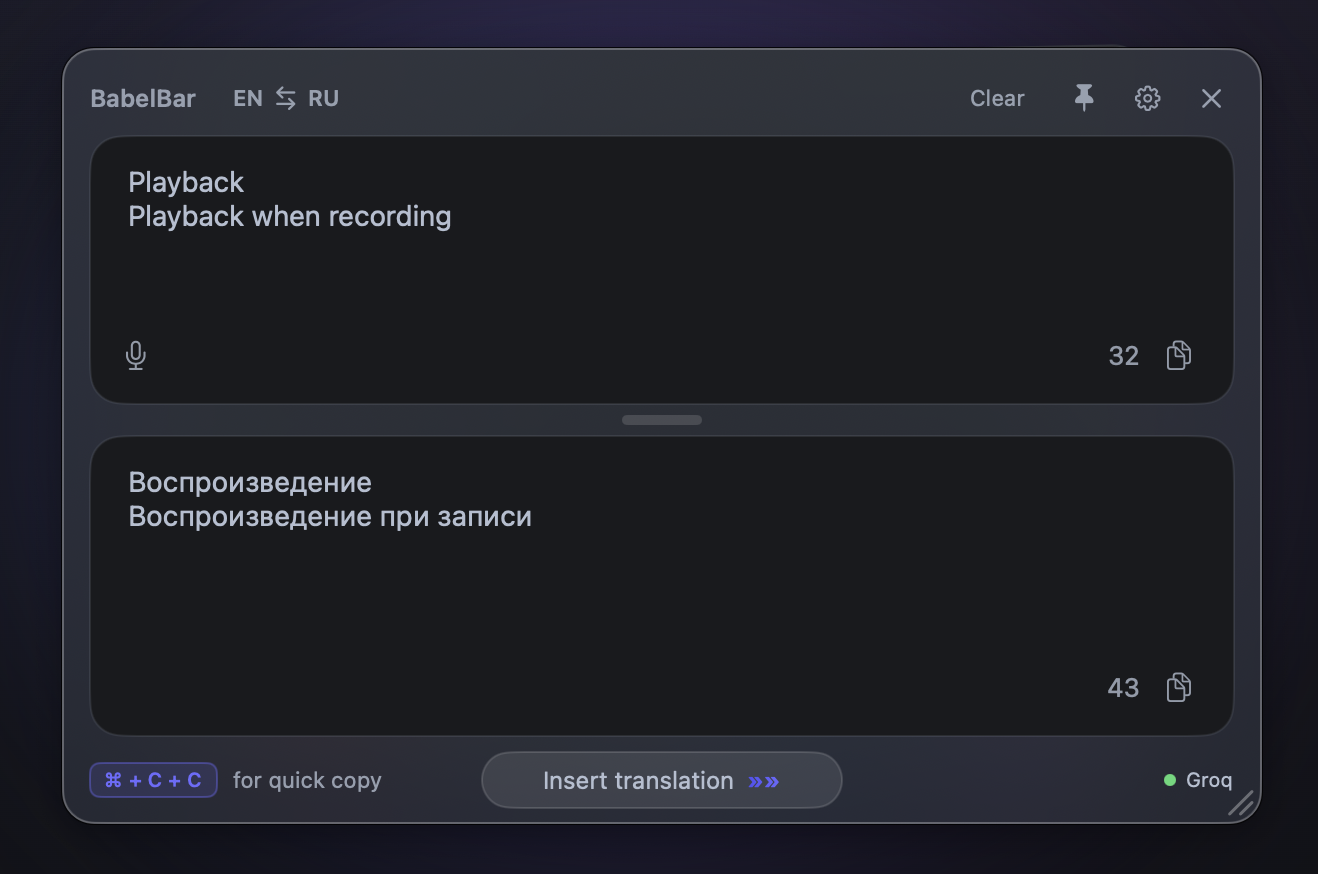
BabelBar translator window showing an EN→RU translation with an Insert translation button and Groq connected
Compatible with
Features

Everything you need, nothing you don't.

Built for people who read and write across two languages all day. Fast, quiet, out of your way.

„Wie komme ich zum Bahnhof?"
How do I get to the station?

Translate any selection

Any app · ⌘ + C + C

BabelBar
BabelBar
Translate anything on your Mac. Instantly, in a floating window.

Screenshot OCR

⇧ ⌘ 2 — grab a region, translate the text inside.

🔑

Your provider, your key

OpenAI · DeepSeek · Claude · z.ai · Groq, with automatic fallback.

Insert back

Replace your selection with the translation in one click.

Two-way editing

Edit either side → Enter → the other updates live.

🎙

Voice dictation

Hold Fn, speak, release — text types under your cursor.

🗣

Voice → translate

⇧ Fn — speak in one language, hear it in another.

Fully themeable

Colors, contrast, opacity, blur, light & dark — tune it live in the playground below.

Lives in your menu bar

Quiet, always one shortcut away. No subscription, no account — bring your own key.

Live theme playground

Make it yours — right here.

This isn't a screenshot. It's a live copy of the BabelBar window on the very same design tokens as the app. Move a slider and watch it repaint instantly.

BabelBar EN RU
Playback Playback when recording
32
Воспроизведение Воспроизведение при записи
43
⌘ + C + Cfor quick copy Groq
Theme
Appearance
Accent
Background
Surface
Foreground
Text size
px
Contrast 50
Background opacity 90
Blur 60
✓ Theme JSON copied to clipboard
How it works

Up and running in three steps.

Install & allow

Drop BabelBar in Applications and grant Input Monitoring, Accessibility & Screen Recording.

Paste your API key

Bring your own provider. DeepSeek is dirt cheap — pennies a month for everyday use.

Select & translate

Highlight text anywhere and press ⌘ + C + C. That's the whole workflow.

Community

Support a community of AI enthusiasts ✨

BabelBar is an independent project. We believe in open, friendly tools, in privacy, and in AI that's genuinely useful. Use it freely — and join a community that builds, shares and grows together.

Every contribution helps improve the app and add new features. Thank you 🙌

FAQ

Good questions, honest answers.

Yes — use it freely, forever. Support is entirely optional, and it's what keeps the project alive and growing.
No subscriptions, no trials, no countdown timers. Download it and it's yours.
Yes — your own key, so translations go straight to your provider. DeepSeek is extremely cheap (often a few cents a month for normal use). OpenAI, Claude, z.ai and Groq all work too.
Input Monitoring (to catch the ⌘ + C + C hotkey), Accessibility (to read selected text and insert translations) and Screen Recording (for screenshot OCR). Nothing leaves your Mac except the text you choose to translate.
To you. Translations are sent directly to your chosen provider with your key. We don't store, proxy or see your text.
macOS 13 (Ventura) or newer, on Apple Silicon or Intel.

Translate without thinking about it.

Free to download. Bring your own key. Live in your menu bar in two minutes.